
Flooring Takeoff for Screed, Tiles and Floor Coverings: Room Areas and Floor Build-Up
Calculate room areas automatically, take the floor build-up into account layer by layer and export the quantities to Excel.

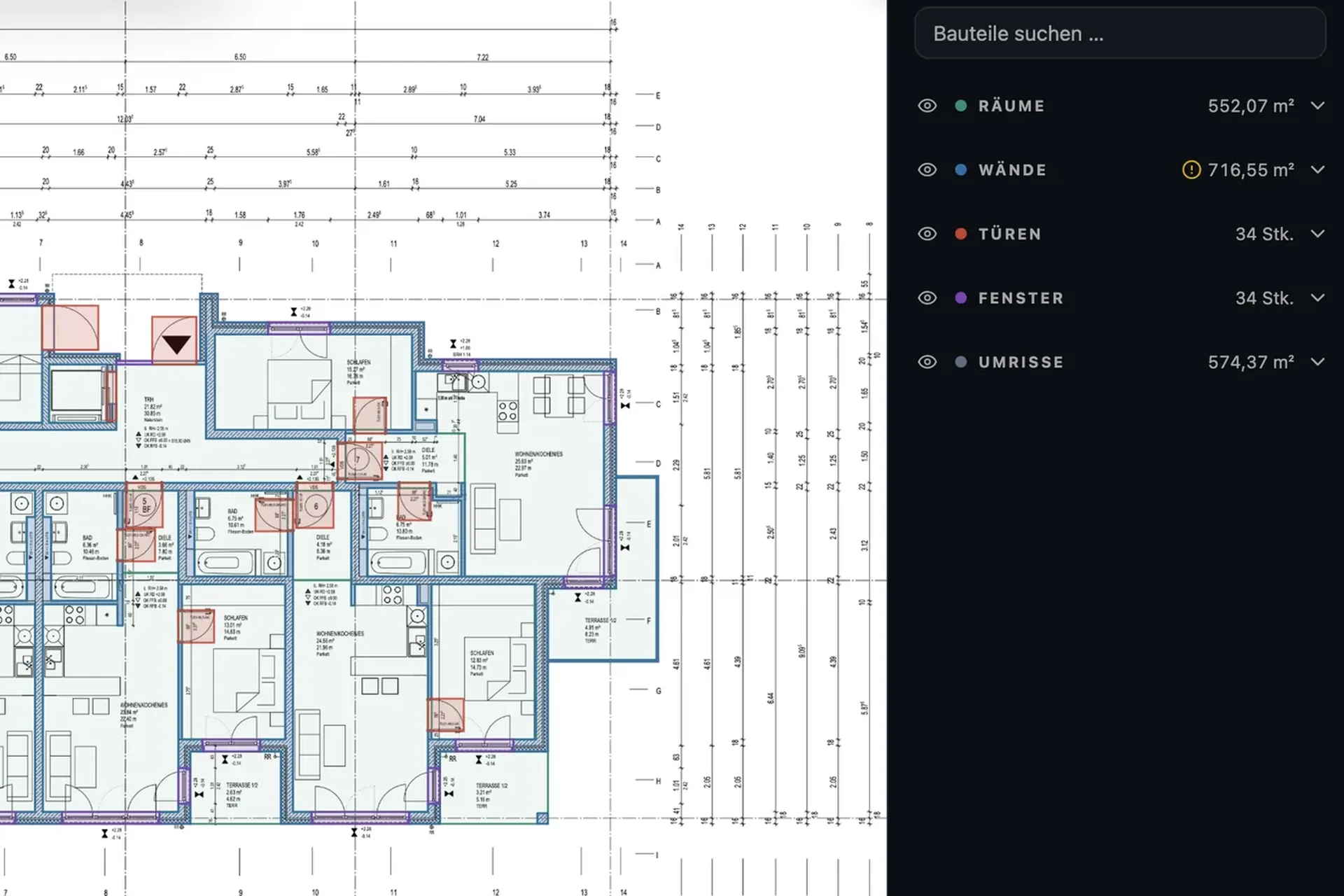
A flooring quantity takeoff for screed, tiles and floor coverings starts with the room areas. Then comes the floor build-up: insulation, screed and finish, often different from room to room. PlanReader calculates the area of every room from the PDF plan and takes the build-up into account.
Floor build-up: which layers go into the quantity
A floating screed on a structural slab typically consists of these layers, from bottom to top:
- structural slab as the load-bearing base,
- insulation, such as thermal and impact sound insulation,
- separating layer between insulation and screed,
- screed, such as cement or calcium sulphate screed,
- finish such as tiles, parquet or resilient flooring.
Bathrooms add waterproofing below the tiles. Each layer is an item of its own in the bill of quantities and needs a quantity of its own. You find the build-up in the plan legend, the room label or the details.
Calculating room areas, automatically for every room
PlanReader detects the rooms on the floor plan and calculates their areas, for one storey or for all plans in a project. Every room is drawn on the original PDF, so you see straight away whether a room is missing or counted twice, and you check the result instead of measuring each room yourself.
Taking the floor build-up into account
PlanReader takes the floor build-up into account and reports the areas per layer. You get separate quantities for insulation and separating layers, for the screed and for the finishes, depending on the room. Rooms with a different build-up are kept separate, such as bathrooms with waterproofing and tiles next to living rooms with parquet.
Calculating screed volume
For screed you need the volume as well as the area. It is area times screed thickness: a room of 20.00 m² with 5 cm of screed needs 20.00 m² × 0.05 m = 1.00 m³. With the areas per room from PlanReader and the thickness from the build-up, you calculate this for the whole storey in one step.
DIN 18353, DIN 18352 and DIN 18365: measuring floors
In Germany, each flooring trade has its own standard in VOB Part C: DIN 18353 for screed work, DIN 18352 for tiling, DIN 18365 for floor covering work. Floors are billed by area. Unlike walls, only small recesses in floors are measured over, up to 0.1 m² each for screed. Larger recesses such as shafts and stair openings are deducted. If your bill of quantities sets its own rules, those apply.
Check and take over
Whatever you see differently, you change directly on the plan and the Excel export picks it up. The list shows the quantities per room and layer, for one plan or for all plans. Checking and approval stay with your team.
Frequently asked questions
How do you calculate room area?
For rectangular rooms, length times width; for irregular rooms, the sum of the partial areas. PlanReader calculates the area of every room from the floor plan, including rooms with corners and projections, and draws it on the plan.
Which recesses are deducted in floors?
Only small recesses in floors are measured over, up to 0.1 m² each for screed. Larger ones such as shafts and stair openings are deducted. The trade standard and your bill of quantities decide.
Can I list tiles and parquet separately?
Yes. Rooms with different finishes are kept separate, and the Excel list shows the quantities per room and layer.
Quantity takeoff by trade
More articles in this series:
- Painting and plaster: calculating wall, ceiling and façade areas
- Drywall: wall areas for one side or both
- MEP: counting fixtures, measuring pipes and cables
All features at a glance: quantity takeoff from PDF drawings with PlanReader.