
Drywall Takeoff: Wall Areas to DIN 18340 Automatically from the Plan
Detect drywall partitions on the floor plan, calculate wall areas for one side or both and check them against the rules of DIN 18340.

In a drywall quantity takeoff, the quantity sits in the walls. Taking them off a floor plan means finding every drywall partition, separating it from the solid walls and deciding for each item whether one side or both count. PlanReader does this groundwork directly on the PDF plan.
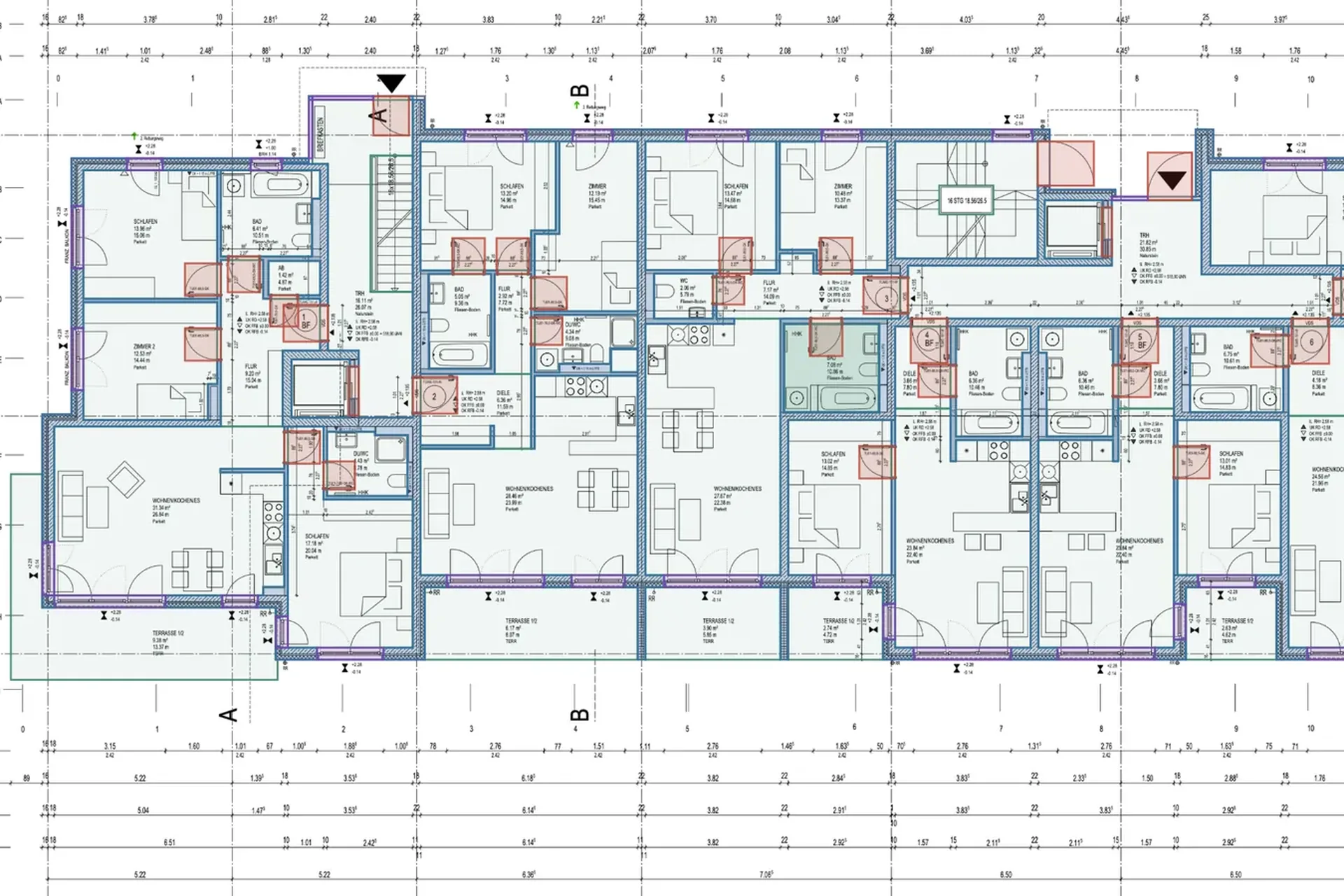
Calculating a drywall partition: length, height, sides
The area of a drywall partition is wall length times wall height. A stud partition 5.00 m long and 2.60 m high has a wall area of 13.00 m². Whether that figure goes into the estimate once or twice depends on the bill of quantities item:
- 13.00 m² once: when the wall is specified as a whole, such as “stud partition, boarded on both sides”.
- Twice 13.00 m² = 26.00 m²: when boarding, jointing or coating are specified per side.
- One side: for wall linings and shaft walls that are clad from one side only.
One wall is quick to calculate. A storey with dozens of drywall partitions, several wall types and doors in between takes hours.
Detecting drywall partitions on the floor plan
PlanReader detects the interior drywall partitions on the floor plan and tells them apart from masonry and concrete. If your plan shows different wall types, such as stud partitions, wall linings or shaft walls, say in your own words which types should be captured separately. Every detected wall is drawn on the original PDF.
Wall area for one side or both
For every wall, PlanReader calculates the length and, with the room height, the wall area. You get the quantities the way your bill of quantities items need them:
- wall area once for items that bill the wall as a whole,
- wall area both sides for boarding, jointing or coating per side,
- wall area one side for wall linings and shaft walls,
- wall length in linear metres for connections and items billed by length.
PlanReader also counts the doors in drywall partitions, for items such as forming openings or setting door frames.
DIN 18340: measuring drywall work
When the VOB applies, drywall is measured to DIN 18340 “Drywall work”. When billed by area, openings up to 2.5 m² each are measured over and larger ones are deducted. A standard interior door therefore does not change the wall area, while forming the opening and lining the reveals are often separate items. Whether one side or both count follows from the item description. If your bill of quantities sets its own rules, those apply.
Check and take over into your estimate
Whatever you see differently, you change directly on the plan and the Excel export picks it up. The list comes per plan or for all plans, walls with IFC class and DIN 276 cost group. PlanReader does the groundwork; checking and approval stay with your team.
Frequently asked questions
Is a drywall partition billed for one side or both?
The item description in the bill of quantities decides. If the partition is specified as a whole by wall area, boarding on both sides is included and the area counts once. If boarding or jointing are specified per side, it counts for both sides.
Are door openings in drywall partitions deducted?
Under DIN 18340, openings up to 2.5 m² each are measured over, so a standard interior door is not deducted. Forming the opening, frames and reveals are often separate items.
Does PlanReader detect wall linings and shaft walls too?
Yes, if the plan shows them as a wall type of their own. You say in your own words which types should be captured separately.
How is this different from a drywall calculator?
A drywall calculator turns a wall area into a material list. PlanReader provides the wall areas themselves, from the plan and for every wall in a project. You apply the material per square metre in your estimate.
Quantity takeoff by trade
More articles in this series:
- Painting and plaster: calculating wall, ceiling and façade areas
- Screed, tiles and flooring: room areas and floor build-up
- MEP: counting fixtures, measuring pipes and cables
All features at a glance: quantity takeoff from PDF drawings with PlanReader.