
AI use cases for construction tenders and estimating
Create bid comparisons, analyse tender documents, compare offers and review scope boundaries. Tenderhub turns tender packages into decision-ready data.
Bid Comparison – compare offers line by line
Tenderhub compares contractor bids item by item against your bill of quantities (BoQ) and produces a complete bid-comparison sheet. Instead of days in Excel you see deviations, outliers and missing items in minutes.
- Automatic alignment of all BoQ items across multiple bidders
- Detection of speculative pricing, unbalanced bids and gaps
- Flagging of missing or additional items per bidder
- Export as Excel comparison with delta, average and best price

- Bidder A
- €142.80/m² – quantities correct
- Bidder B
- €118.50/m² – likely speculative (-17%)
- Bidder C
- €155.20/m² – incl. fair-faced formwork
- Spread
- €36.70/m² between lowest and highest price
Excel bid comparison with item, bidders, unit prices, totals, % deviation and automated risk flags.
Details and workflowVersion Comparison – spot every change in BoQs and contracts
Compare two versions of the same project – an old vs. new bill of quantities, or two contract drafts – and see immediately what was added, removed or changed. Ideal for variations, contract reviews and client updates.
- Structured diff between two BoQ or contract versions
- Detects changed quantities, texts, prices and clauses
- Impact score per change (commercial / technical / contractual)
- Export with audit trail for procurement and clients

- Changed
- Item 04.12.030: qty 1,250 m² → 1,480 m² (+18%)
- New
- Item 04.12.045: F90 fire-protective cladding
- Removed
- Item 04.12.090: Acoustic ceiling type B
- Contract
- Clause §7(2) – penalty raised from 0.2% to 0.5%
Excel change log with old version, new version, delta, impact and contract/BoQ reference.
Details and workflowDoor & Window Schedules from functional specs
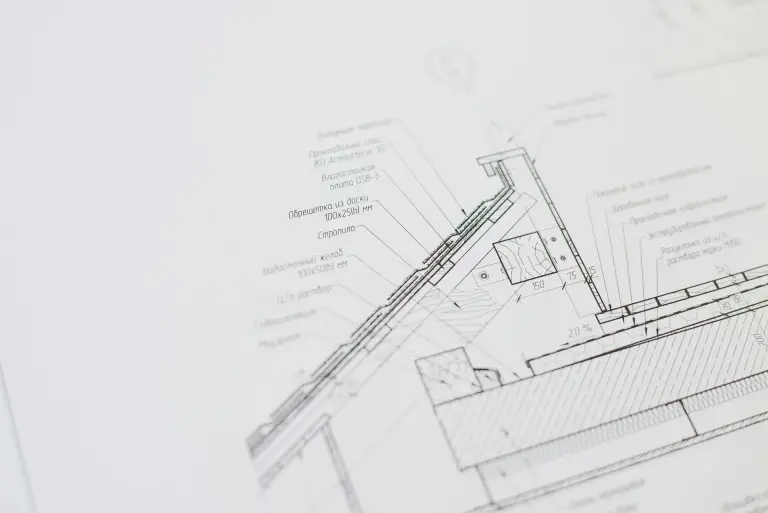
From functional building descriptions, room books and drawings, Tenderhub automatically extracts every relevant component – doors, windows, sanitary fixtures, hardware, fire ratings – and produces a complete Excel schedule. No more manual counting across hundreds of PDF pages.
- Extraction from PDF drawings, room books and functional BoQs
- Dimensions, materials, fire/acoustic ratings, hardware
- Quantity take-off per floor, component and room
- Output as a structured Excel list – ready for supplier RFQs
- D-01
- Apartment entry, RC2, EI30-Sa, 1,010 × 2,110 mm – 24 pcs
- D-12
- Glass swing door, 10 mm tempered, 1,250 × 2,200 mm – 6 pcs
- W-04
- Fixed glazing, Ug 0.7 W/m²K, 2,400 × 1,800 mm – 18 pcs
- W-09
- Aluminium tilt-turn, RC2, 1,200 × 1,500 mm – 42 pcs
Excel schedule with component ID, type, dimensions, requirements, quantity, floor and room reference – ready for supplier inquiries.
Details and workflowInterface Matrix – make trade risks visible
Tenderhub automatically generates a trade interface matrix for your project. You see at once where scope boundaries are unclear and where interface risks lie between MEP, structure, drywall and façade – with a built-in risk score.
- Matrix of all trades × trades with interface status
- Detection of double-scoped or missing scopes
- Risk score per interface (low / medium / high)
- Source references to BoQ items or specification sections

- Status
- Unclear – wall openings not clearly assigned
- Risk
- High – potential variation ~€45,000
- Source
- BoQ item 02.03.110 vs. MEP spec §5.2
- Action
- Clarify before award – fix responsibility
Excel or table matrix of all trade interfaces with status, risk score and source reference – ideal input for procurement workshops.
Details and workflowScope of Work – extract units, materials and work descriptions
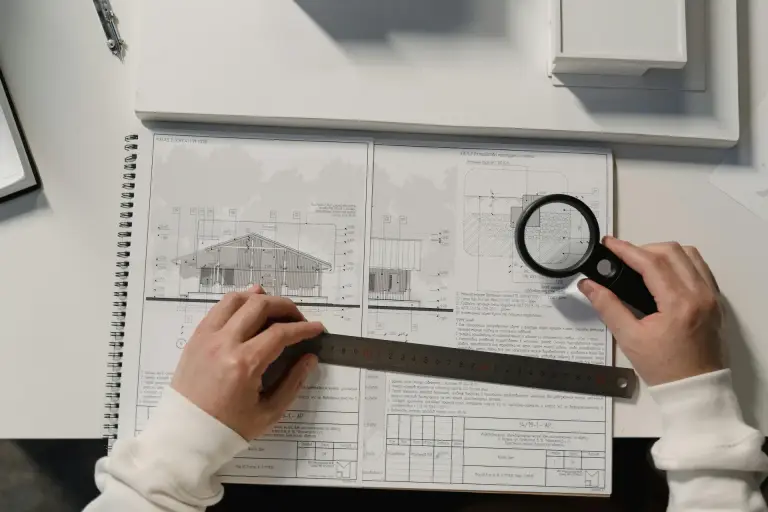
Tenderhub automatically extracts every relevant unit, material and work description needed to deliver the job from bills of quantities, technical specifications and drawings. The result is a clean, complete and audit-proof scope of work – the basis for calculation, procurement and variation management.
- Extraction of quantities, units (m², m³, pcs, kg, lm) and materials
- Detection of the corresponding work description for each item
- Consolidation across BoQs, specifications and drawings
- Gap analysis: missing scopes, unclear wording, duplicated entries
- Item
- Reinforced concrete wall C30/37, t=24 cm
- Quantity / Unit
- 1,420 m²
- Material
- Concrete C30/37, rebar BSt 500, fair-faced formwork
- Work description
- Formwork, reinforcement, concreting incl. curing
Excel scope-of-work with item, quantity, unit, material, work description and source reference (BoQ / spec / drawing) – ready for calculation and supplier RFQs.
Details and workflow