
Painting Takeoff: Wall, Ceiling and Façade Areas from the PDF Drawing
Calculate wall, ceiling, façade and plaster areas from the PDF drawing, marked on the plan and delivered as an Excel takeoff, with the rules of DIN 18363.

A painting takeoff starts with one question: how large are the wall, ceiling, façade and plaster areas? Taking them off a drawing by hand means working room by room, and at the end you still have to show where every figure comes from. PlanReader takes this groundwork off your hands: you upload the PDF drawing and get the areas marked on the plan and the takeoff as an Excel list.
Calculating wall area: formula and example
The wall area of a room is its perimeter times its height. From that, you deduct the openings that the contract does not measure over. An example: a room measures 4.00 m × 5.00 m in shell dimensions and is 2.60 m high. The perimeter is 18.00 m, so the gross wall area is 18.00 m × 2.60 m = 46.80 m².
- Window 1.25 m × 1.50 m = 1.88 m²: under 2.5 m², measured over
- Door 1.01 m × 2.135 m = 2.16 m²: under 2.5 m², measured over
- Patio door 2.00 m × 2.25 m = 4.50 m²: deducted
- Wall area: 46.80 m² − 4.50 m² = 42.30 m²
- Ceiling area: 4.00 m × 5.00 m = 20.00 m²
- Reveals, calculated separately: window 2 × 1.50 m + 1.25 m = 4.25 m, patio door 2 × 2.25 m + 2.00 m = 6.50 m
Without measuring over, the wall area would be 38.26 m², about 4 m² less in a single room. One room is quick to calculate; a storey with 40 rooms is not. That is where PlanReader comes in.
Which areas PlanReader takes off the drawing
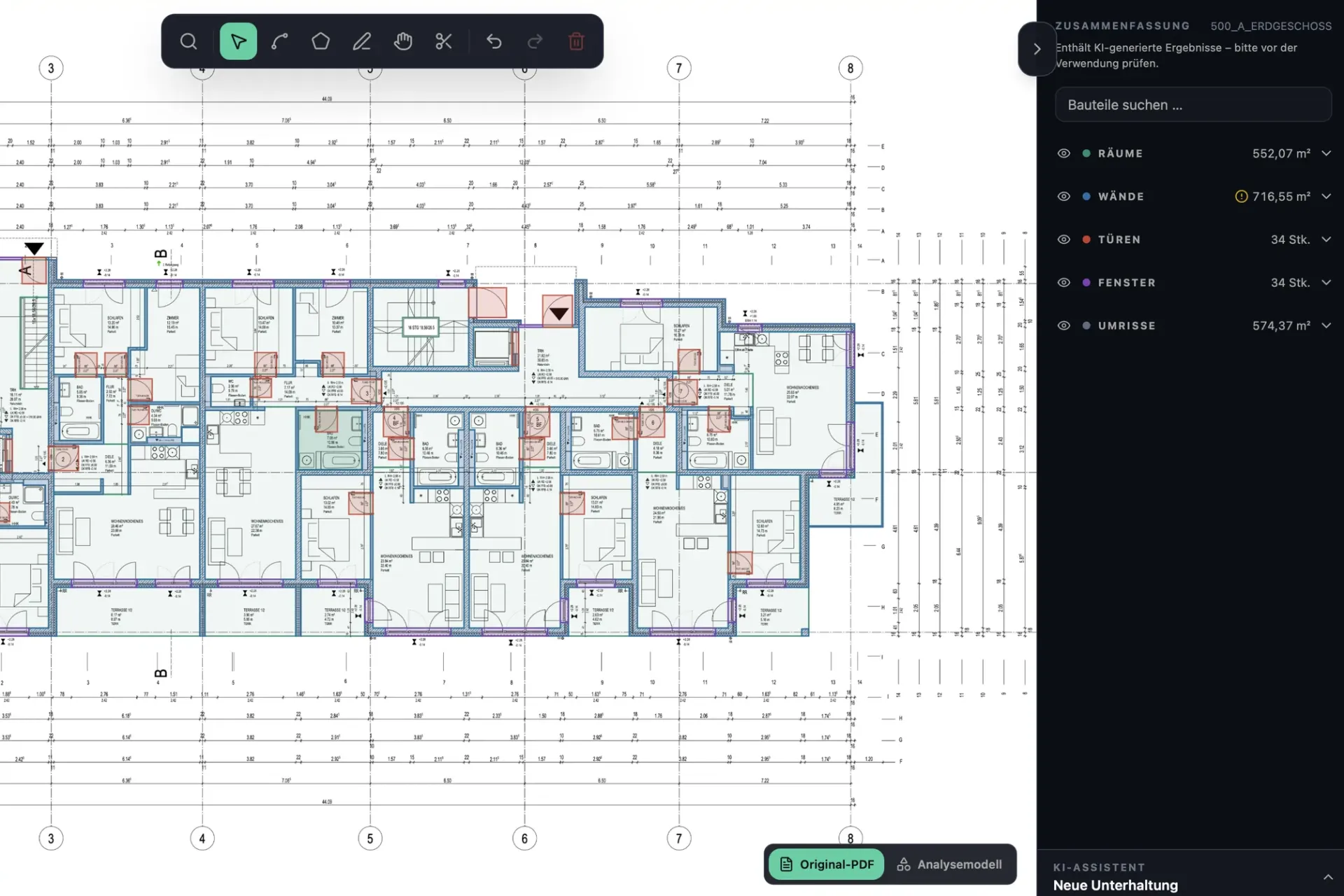
You upload the PDF drawing and say in your own words what you need. PlanReader captures the areas that matter for painting and plastering:
- Wall areas: per room, from the wall lengths on the floor plan and the room height you set for the plan.
- Ceiling areas: per room, straight from the floor plan.
- Façade areas: from the elevations, for coatings and external render.
- Plaster areas: inside and outside, as a category of their own next to the coating areas.
- Windows and doors: counted and marked on the plan, so you can measure over or deduct openings according to your bill of quantities.
Whether you need a single category, one trade or the whole plan is up to you.
Every area marked on the plan
PlanReader draws every area it captures straight onto your original PDF. You see at a glance which wall, which ceiling and which part of the façade goes into the quantity and where something is missing. Whatever you see differently, you change directly on the plan: adjust, add or delete an area. The Excel export picks up every change.
The takeoff as an Excel list
What you get is not just a total but a takeoff you can check: the Excel list shows the areas per room and category, for one plan or for all plans in the project. Walls, doors and windows come with IFC class and DIN 276 cost group.
Because every quantity is drawn on the plan, it can be traced. That helps when you check your quantities against the bill of quantities for your bid, and when you invoice and the client wants to know where a figure comes from.
DIN 18363 and DIN 18350: the rules in brief
When a German construction contract includes the VOB, painting work is measured to DIN 18363 “Painting and varnishing work – Coatings” and plastering to DIN 18350 “Plastering and stucco work”. For painted areas, three rules matter most:
- Shell dimensions: indoors, the dimensions of the unplastered, uninsulated and unclad surfaces count, so walls run from the structural floor to the structural ceiling.
- Measuring over: openings under 2.5 m² each are measured over; larger ones are deducted.
- Reveals: coated reveals and niche backs are added separately.
On façades, the treated surfaces count. If your bill of quantities sets its own measurement rules, those apply. This is why PlanReader delivers the openings as well, and you decide under your contract how they go into the quantity.
How it works
- 1. Upload the drawing: upload a PDF floor plan or elevation and set the scale on the plan.
- 2. Describe the job: for example “wall and ceiling areas per room, windows and doors” or “external plaster areas”.
- 3. Check on the plan: every area is drawn on. Your team checks, adds and corrects.
- 4. Take over the Excel: the takeoff goes straight into your estimate.
PlanReader does the groundwork; checking and approval stay with your team.
Frequently asked questions
How do you calculate wall area for painting?
Room perimeter times room height, minus the openings that are not measured over. Under DIN 18363, openings under 2.5 m² are measured over and coated reveals are added separately.
How do you calculate façade area?
From the elevations: length times height for each section of the façade, minus the openings the contract deducts. On façades, DIN 18363 counts the treated surfaces. PlanReader takes the façade areas off the elevations and marks each section on the plan.
Can PlanReader list plaster areas separately?
Yes. Interior and exterior plaster areas are a category of their own next to the coating areas, drawn on the plan and listed in the Excel file.
Which drawings do I need?
PDF drawings: floor plans for wall and ceiling areas, elevations for façades. You set the scale on the plan.
Quantity takeoff by trade
More articles in this series:
- Drywall: wall areas for one side or both
- Screed, tiles and flooring: room areas and floor build-up
- MEP: counting fixtures, measuring pipes and cables
All features at a glance: quantity takeoff from PDF drawings with PlanReader.